Source-first translation with copy and TXT export

Audio Translator for Reviewable Translated Text

Use this audio translator to turn recorded speech into translated text you can inspect beside the source transcript. Upload, record, or import supported media, create the source-language text first, choose a target language, and translate through the existing paid AI action. The output can be copied or exported as TXT; it is not dubbed audio or cloned speech.

Choose audio or video to translateDrop one supported media file here, or browse this device.Choose file

First create the source transcript, then choose a target language. Output is translated text, not dubbed audio.

Choose one file to continue in the transcription workspace.

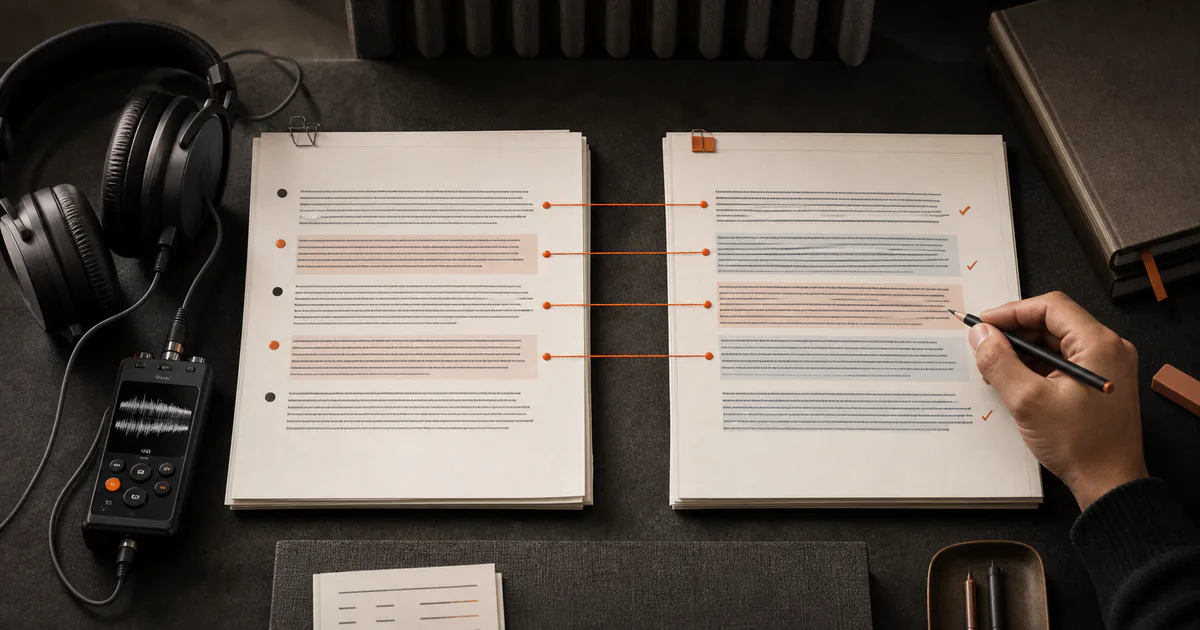
Source audio transcript aligned with translated text ready to copy
  • Source transcript retained for checking
  • Translated text with copy and TXT export
  • No dubbing, voice cloning, or live interpretation

Workflow

How an audio translator turns recorded speech into translated text

Create the source transcript

Upload a recording, record in the browser, or import supported public media. Choose the spoken language when you know it. The first result is a source-language transcript with timestamps, giving you something concrete to correct before translation.

Check names and material statements

Correct proper nouns, numbers, product names, legal wording, and passages affected by overlap or noise. Translation cannot reliably fix an error already present in the source transcript, so this checkpoint protects the next step.

Choose a target language and translate

Use the existing Translate action on the completed task, inspect the credit estimate, select the target language, and create translated text you can copy or export as TXT. Keep both versions available so a bilingual reviewer can trace important wording back to the source.

Decision guide

Choose the right settings and output

Translation is not transcription

Transcription represents speech in its source language. Translation expresses that text in a different language. Because they are separate operations, correcting the source transcript before translating can prevent a recognition mistake from being carried into every target sentence.

Translated text is not dubbed audio

This page produces text that can be read, copied, or exported as TXT. It does not synthesize a target-language voice, imitate the speaker, lip-sync a video, or interpret a live call. Choose a dubbing product if audio replacement is the actual deliverable.

Use human review where consequences are high

Medical, legal, financial, safety, immigration, employment, and contractual content can carry serious consequences. Use a qualified human translator or subject expert, preserve the recording, and verify key terms rather than treating generated text as final authority.

Plan for speakers, accents, and background sound

Multiple speakers, code-switching, dialect, cross-talk, and poor microphones affect the source transcript before translation begins. Speaker labels can organize voices, but they do not identify real people and they do not replace contextual review.

Use cases

Practical ways to use this tool

Translate an interview draft

Keep the original transcript with timestamps, correct names and quotations, then create a target-language reading copy for a bilingual editor.

Prepare multilingual research notes

Turn authorized field recordings into searchable source text and a working translation while preserving passages that require specialist interpretation.

Create translated caption copy

Translate a checked transcript, then adapt timing, line length, reading speed, tone, and on-screen context in a dedicated caption or video editor.

Understand a recorded briefing

Generate a working text translation for orientation, while sending material decisions, commitments, and technical statements to a qualified reviewer.

Commercial comparison

Whisper AI vs Notta vs Flixier for audio translation

Comparison checked 2026-08-13. Use the linked sources to verify live terms.

Whisper AI vs Notta vs Flixier for audio translation
Decision factorWhisper AINottaFlixier
Core outputTranslated text retained with the source transcript, plus copy and TXT exportTranscription and translation inside a broader notes workspaceTranscript/subtitle translation with optional creative voice workflows
Source-first checkingSource transcript is completed and can be corrected before the Translate actionCheck its current editor and translation workflow for source retentionTimeline and subtitle workflow supports visual editing context
Voice dubbingNot provided; output is translated textCheck the active product for current voice featuresPositions optional voice generation as part of its broader workflow
Best fitPeople who want a traceable transcript-to-translated-text pathTeams comparing translation inside a meeting-notes productVideo creators who also need timeline, subtitle, or voice production tools

Choose Whisper AI when the deliverable is reviewable translated text with TXT export and source traceability matters more than synthetic voice production. Choose a broader video editor when dubbing and timeline work are essential, then verify its live pricing and language support.

Before you begin

Limits worth knowing

Clear answers

Frequently asked questions

Does the audio translator create a translated voice?

No. It creates translated text you can copy or export as TXT from a completed source transcript. It does not dub the recording, clone the original speaker, or generate real-time interpreted audio.

Why create a source transcript first?

The source text exposes recognition mistakes before they become translation mistakes. It also gives reviewers timestamps and original wording for checking names, numbers, terminology, and nuance.

Is translation included in free transcription minutes?

No. Transcription minutes and the paid AI translation action are distinct. The completed workspace shows the existing credit estimate before translation is submitted.

Can I translate recordings with several speakers?

You can enable speaker separation during transcription, but generated labels represent detected voice groups rather than verified identities. Correct the source and attribution before relying on translated dialogue.

Can I use the result for legal or medical decisions?

Generated translation can support orientation, but it should not be the sole authority for high-stakes decisions. Use a qualified human translator or subject expert and verify against the recording.

Evidence

Sources and methodology

Product and competitor details were checked on 13 August 2026. Commercial pages can change, so follow each source before making a purchase or uploading sensitive media. Comparisons describe the checked pages and do not imply an endorsement.

Continue the job

Audio Translator — Translate Speech to Text | Whisper AI