Local audio extraction for QuickTime and Apple-device video

MOV to MP3 Converter for Private Browser-Based Audio

Convert MOV to MP3 directly in this browser when you want the audio from an iPhone, QuickTime, or editing export without sending the video to Whisper AI. Choose a bitrate, run the conversion on your device, preview the MP3, and download it. This single-file tool is free and accepts MOV files up to 150 MB.

Local processing: the selected file is not uploaded to Whisper AI.
MOV file
No MOV file selected

Choose one MOV file to begin.

Estimated MP3 output is capped at 64 MB for browser memory safety. Need words instead of audio? Try the audio to text converter free workflow.

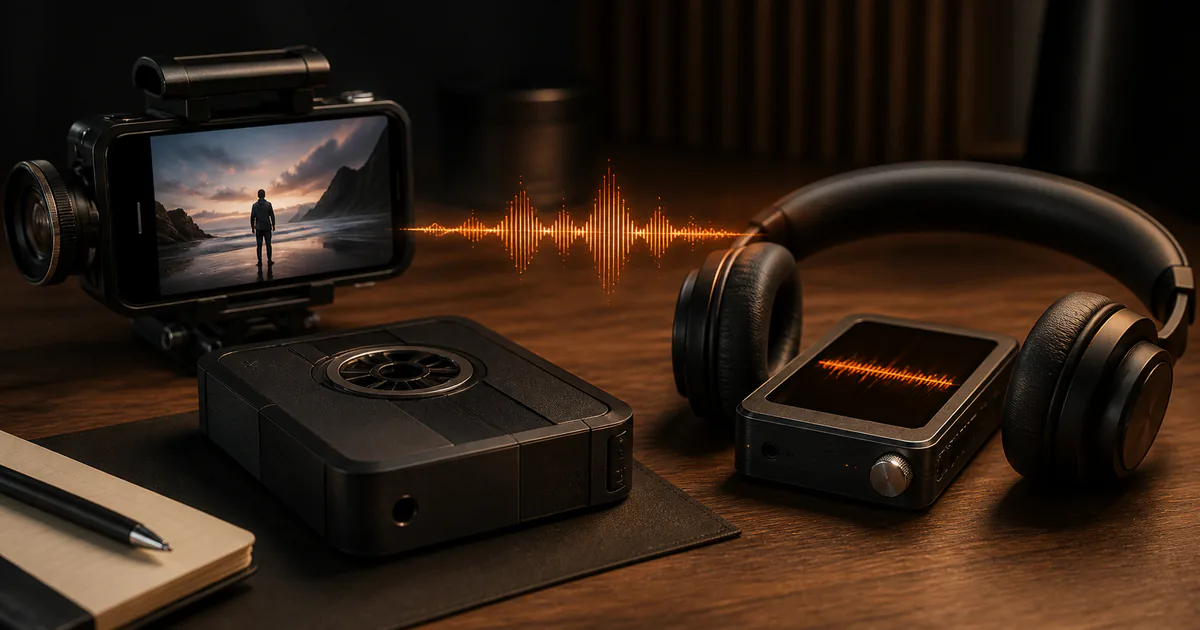
MOV video converted locally into an MP3 audio waveform
  • Selected MOV stays on this device
  • 96–320 kbps MP3 output
  • 150 MB single-file limit

Workflow

How to convert MOV to MP3 without uploading your video

Select one MOV file

Choose a `.mov` file from your device. The tool validates the extension and size before loading the conversion engine. MOV is a container commonly associated with QuickTime and Apple-device recordings; the audio codec inside can vary.

Choose an MP3 bitrate

Keep 192 kbps for a balanced default, choose 96 or 128 kbps for speech and smaller downloads, or 256 or 320 kbps when a larger output is acceptable. A higher MP3 bitrate cannot restore detail already missing from the source.

Convert, preview, and download

The browser loads a local WebAssembly conversion engine after you click Convert, extracts the first supported audio track, and creates an MP3 object URL. Listen to the preview before downloading and keep the MOV as the source master.

Decision guide

Choose the right settings and output

MOV is a container, not one codec

A `.mov` file can hold different video and audio encodings. Most everyday Apple-device exports contain a usable audio stream, but a valid MOV may still have no audio, an unsupported codec, damaged media, or multiple tracks that need specialist handling.

Pick bitrate for the listening job

Spoken notes and interviews often remain practical at 96 or 128 kbps. Use 192 kbps as the general default. Music or material headed into another edit may justify 256 or 320 kbps, although MP3 remains a lossy delivery format.

Know when not to convert

Keep the original MOV when future editing, synchronization, or archival quality matters. Converting only the audio discards the video and re-encoding to MP3 can discard audio information. Make the MP3 a convenient derivative, not the sole master.

Local conversion trades privacy for device work

The selected media stays in the page, but your browser must allocate memory and CPU for decoding and encoding. Large inputs can be slower or fail on memory-constrained phones. This product therefore caps a single file at 150 MB and warns above 100 MB.

Use cases

Practical ways to use this tool

Extract an iPhone voice recording

Turn the audible track from a camera clip into a smaller file for listening, sharing, or a speech-first editing workflow while retaining the original video.

Create a podcast review copy

Export a convenient MP3 from a QuickTime video edit so collaborators can check the spoken content without downloading the full picture file.

Prepare audio for transcription

Extract an MP3 only when another system specifically requires it. Whisper AI can already transcribe common video files, so conversion is optional for its own transcription workflow.

Listen to a lecture offline

Create an audio-only derivative from an authorized recording, preview it for completeness, and keep the source if slides or visual context may be needed later.

Commercial comparison

Whisper AI vs AudioConvert vs EZGIF for MOV to MP3

Comparison checked 2026-08-13. Use the linked sources to verify live terms.

Whisper AI vs AudioConvert vs EZGIF for MOV to MP3
Decision factorWhisper AIAudioConvertEZGIF
Where conversion runsLocally in the browser; selected media is not uploadedCloud workflow with automatic deletion claims on its checked pageCloud upload workflow with deletion after one hour stated on its checked page
File limit shown at check time150 MB product limit, with a warning above 100 MBDesigned around larger uploaded files; verify the current live limit200 MB stated on the checked converter page
Output control96, 128, 192, 256, or 320 kbps; 192 kbps defaultUse its live form to confirm current audio optionsIts checked page states a 192 kbps default
Best fitSensitive or ordinary files small enough for local browser processingPeople who accept cloud processing and need a larger-file workflowPeople who accept a temporary cloud upload within its stated limit

Use Whisper AI when keeping the selected MOV on your device matters and the file is no larger than 150 MB. A cloud converter may fit a larger input, but read its current upload, retention, and limit statements before sending media.

Before you begin

Limits worth knowing

Clear answers

Frequently asked questions

Does my MOV upload to Whisper AI?

No. The selected file is read by the browser-local converter and is not sent to Whisper AI. The page fetches its conversion engine, but the media bytes and file name stay in the page.

Which bitrate should I choose?

Use 192 kbps as the balanced default. Speech can often use 96 or 128 kbps, while 256 or 320 kbps creates a larger derivative for more demanding listening. Higher settings cannot recreate missing source detail.

Why does a MOV file fail even though the extension is correct?

MOV can contain different codecs and track layouts. A file may have no audio track, damaged data, an unsupported encoding, or resource needs that exceed the browser and device.

Will converting MOV to MP3 keep the video?

No. The MP3 contains only the selected audio track. Keep the MOV if you need the picture, original synchronization, metadata, or a higher-quality source for future work.

Can I convert several MOV files at once?

No. This version handles one file at a time so local memory, progress, cancellation, preview, and cleanup remain understandable and controllable.

Evidence

Sources and methodology

Product and competitor details were checked on 13 August 2026. Commercial pages can change, so follow each source before making a purchase or uploading sensitive media. Comparisons describe the checked pages and do not imply an endorsement.

Continue the job

MOV to MP3 Converter — Private & Free | Whisper AI