
Dashboard
New Transcription
0 min
How do you want to transcribe?
Upload Audio
Estimated cost: 0 min
Free minutes are included. Upload a file or record audio to start.
Use this SRT subtitle generator to create timed subtitle cues from spoken audio or video. Upload a file, record in the browser, or import a supported media URL, then review each cue's text and start and end time, save your changes, and download an SRT file for your video editor. VTT export is available as a secondary option.
Dashboard
How do you want to transcribe?
Free minutes are included. Upload a file or record audio to start.
Verified accounts use the current Whisper AI transcription allowance. Audio and video are processed by the active cloud transcription provider.
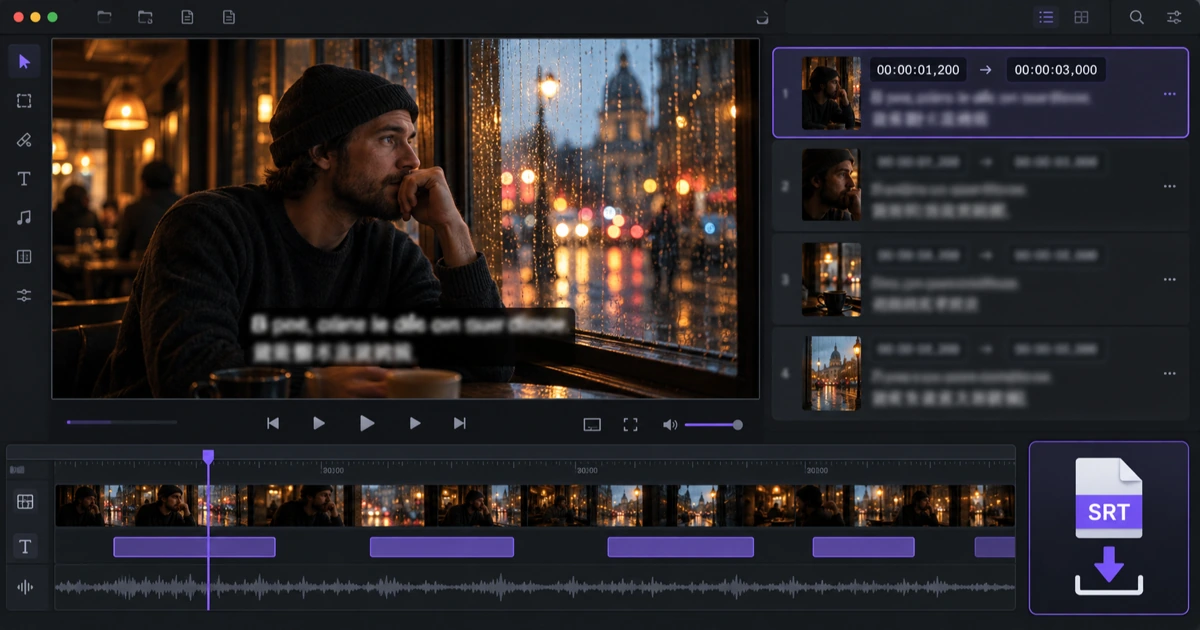
Start from a recording, a media file, or a supported public URL. The workspace transcribes the spoken track into timed cues, which become your subtitle draft.
Upload an audio or video file, record a short clip in the browser, or import a supported media URL. Choose the spoken language when you know it so the recognition pass is not guessing from a short sample.
The recording is transcribed into text with timing. Those timed segments are the subtitle draft you will edit, so the cues and the transcript stay in sync from the first pass.
The subtitle view shows one row per cue with its number, start time, end time, and text. Check that the first and last cues cover the spoken content before you start editing.
Cue-level editing keeps each line matched to the audio. Change subtitle text, nudge start and end times, add a cue, or remove one you do not need.
Edit the subtitle text for a single cue without disturbing the timing of the cues around it. Correct names, numbers, and specialist terms where the recognition may have misheard them.
Nudge a cue's start or end time in seconds when a line appears too early, too late, or stays on screen too long. Times are kept non-negative and ordered so a cue cannot end before it starts.
Saving stores the edited cue list as the current version. SRT and VTT downloads are built from that saved cue list, so an older provider transcript cannot reappear after an edit.
SRT is the widely supported subtitle format that carries cue numbers, start and end timecodes with milliseconds, and the subtitle text.
Download SRT for an audio to SRT workflow when your video editor, media player, or publishing platform expects SubRip subtitle files. The file uses millisecond timecodes and the cue text you saved.
Use the VTT generator output instead when you need a WebVTT track for an HTML video element or a web player. The cue text matches the SRT version, and the timecodes use a period instead of a comma.
Import the subtitle file into the destination editor and watch a few cues. Reading speed, line breaks, and safe areas are set by the player or editor, so a final visual pass is still worthwhile.
Comparison describes the checked pages at a high level. It does not repeat competitor pricing, ratings, certifications, or accuracy claims, and naming a product is not an endorsement.
| Decision factor | Whisper AI | HappyScribe | VEED |
|---|---|---|---|
| How you start | Upload audio or video, record in the browser, or import a supported media URL | Check the current upload and recording options on its live subtitle tool | Check the current upload and recording options on its live subtitle tool |
| Editing before download | Edit each cue's text, start time, and end time, then save the cue list | Subtitle editing is offered; confirm which edits the current plan allows | Subtitle editing is offered; confirm which edits the current plan allows |
| Export formats | SRT download with VTT as a secondary export | Confirm the live export list and any plan gating | Confirm the live export list and any plan gating |
| Entry cost | Verified new accounts start with the current transcription-minute allowance | Check the current free and paid plan terms | Check the current free and paid plan terms |
| Where the task lives | The finished task is saved in your recordings with its source tool | Check how the live product stores and reopens projects | Check how the live product stores and reopens projects |
Choose the product whose editing and export path matches how you publish video. Whisper AI is the strongest fit when you want to start from audio or video, edit subtitle text and timing cue by cue, and download SRT without switching to a separate workspace.
Yes. The subtitle view lists one row per cue with its start time, end time, and text. You can change the text, adjust the timing, add a cue, or remove one, then save the cue list. The SRT and VTT downloads are built from that saved cue list.
SRT is the SubRip format and is widely accepted by video editors, players, and publishing platforms. VTT is WebVTT and is used for web video tracks. Both carry cue numbers, start and end timecodes, and the subtitle text; SRT uses a comma before milliseconds and VTT uses a period.
No. An SRT file is a small text file that contains subtitle cues only, with timing and text. It does not contain the video or audio. You load the SRT alongside the media in your editor or player, and both are needed for the subtitles to appear.
You can upload a supported audio or video file, record audio in the browser, or import a supported public media URL. When you know the spoken language, set it before starting so the transcript is not guessed from a short sample.
Timing reads differently in an editor, so line breaks, reading speed, and safe areas are usually adjusted after import. The SRT file keeps the text and timing you saved, and the destination editor controls how the cues appear on screen.
Written and checked by the Whisper AI Editorial Team · Last reviewed 2026-09-22 · Editorial policy