
Dashboard
New Transcription
0 min
How do you want to transcribe?
Upload Audio
Estimated cost: 0 min
Free minutes are included. Upload a file or record audio to start.
Transcribe interview audio on this page: choose the recording, set the spoken language, and start a real transcription task in the workspace below. When the draft is ready, check the question and answer turns, rename the speakers that the transcription provider actually detected, search for the passage you need, and export the reviewed text as TXT or another format. Verified new accounts start with the current transcription-minute allowance, shown before you begin.
Dashboard
How do you want to transcribe?
Free minutes are included. Upload a file or record audio to start.
Verified accounts use the current Whisper AI transcription allowance. Audio is processed by the active cloud transcription provider, and finished interview tasks are saved in your recordings with the interview-transcription source tag.
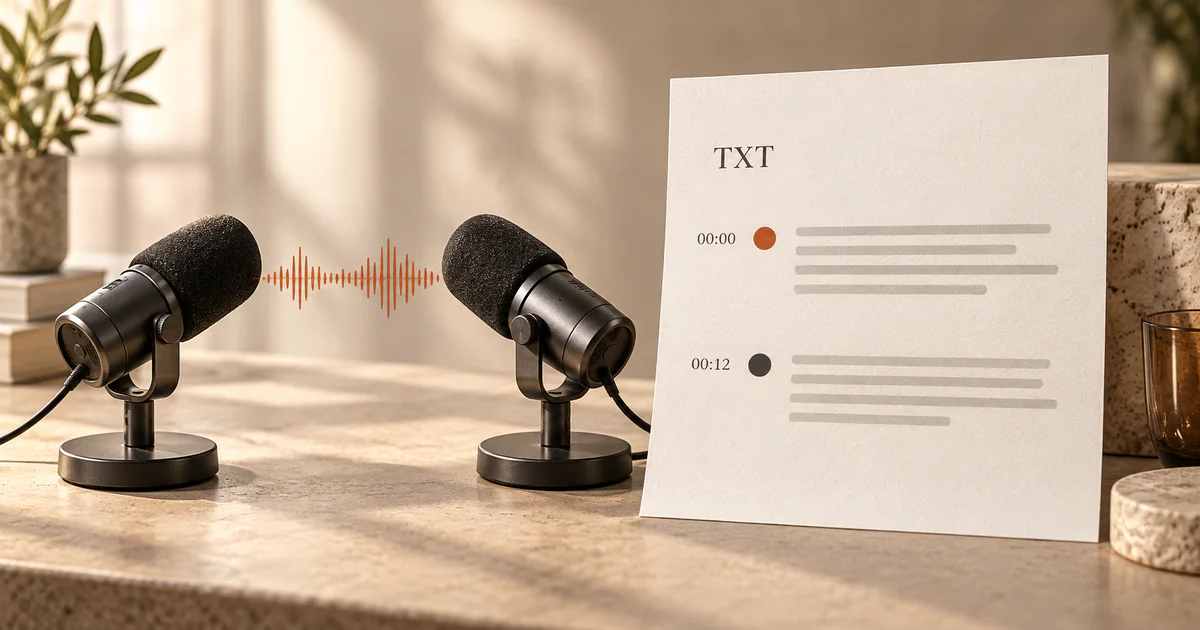
This case shows a two-speaker research interview after review: the question and answer turns are separated, both speakers are renamed, and a short overlapping exchange is kept visible so neither answer is lost. The timestamps line up with the editor view, and the reviewed text is what a TXT export contains.
Case: two-speaker research interview (English)
Reviewed transcript with speaker labels
To transcribe an interview, start from the recording and let the workspace produce a timestamped draft that stays on this page.
Upload one interview file from this device, record in the browser, or import a supported public media URL. Set the spoken language before you start, especially for accented, quiet, or code-switched speech, so the recognition pass is not guessing from a short sample. One interview per task keeps the speaker groups and timestamps easy to check.
The workspace checks the media, states the current minute and file-size limits before the task runs, and shows the credit cost against your balance. Nothing is generated until you start the task, so opening this page never spends transcription minutes.
The draft returns the transcript text with segment timing. Speaker labels are added only when the active transcription provider actually returns speaker separation for that file; when it does not, the page keeps time-based segments instead of inventing names.
An interview transcript is only useful once the turns are attributed and the wording is checked against the recording.
When the provider returned speaker groups, rename each one to the person's real role or name and keep the mapping with the task, so refreshing the page or returning after signing in restores the labels you set. When the provider did not separate speakers, work from the time-based segments and do not assign names the recording does not support.
Read the interview as a conversation, confirm that questions and answers stay with the right speaker, and replay any passage where two people talk over each other. Very short overlaps can merge into a single line, so mark the overlap and separate the two answers so neither is lost.
Interviews are full of homophone names, role titles, acronyms, and statistics. Correct J-E-A-N versus Gene, product names, and figures directly in the editor, and replay the timestamp before changing a quote so the written version still matches what the speaker said.
Keep the review and the download in one place so the file you send to a colleague matches the transcript you checked.
Open transcript search, type a word or phrase, and jump to every match instead of scrolling through the whole interview. This is the fastest way to pull one answer, verify a claim, or check whether a topic was covered at all.
Select the reviewed passage you need and copy it for notes, an article, or a report. Keep the timestamp beside any quote you plan to publish so a reviewer or fact-checker can return to the exact moment in the recording.
Download TXT for a plain, portable interview transcript, or use the workspace exports for DOCX, JSON, SRT, and VTT when the conversation needs to become a document, structured data, or captions. Download after your last edit so the exported file matches the version on screen.
Comparison describes the checked pages at a high level. It does not repeat competitor pricing, ratings, certifications, or accuracy claims, and naming a product is not an endorsement.
| Decision factor | Whisper AI | Otter | Happy Scribe |
|---|---|---|---|
| Starting from an interview recording | Upload the interview on this page, record in the browser, or import a supported public media URL, then start the task without switching to another workspace | Confirm the current upload, recording, and import options on its live tool | Confirm the current upload, recording, and import options on its live tool |
| Speaker labels and renaming | Speaker groups are shown only when the provider returns them, and each group can be renamed and kept with the task | Confirm which plans include speaker separation and how labels are edited | Confirm which plans include speaker separation and how labels are edited |
| Reviewing questions and answers | A segment view separates turns, timestamps link back to the audio, and transcript search highlights every match | Confirm the current review, segmentation, and search tools on its live page | Confirm the current review, segmentation, and search tools on its live page |
| Exporting quotes and transcripts | TXT download, plus DOCX, JSON, SRT, and VTT built from the same edited transcript | Confirm the live export list and any plan gating | Confirm the live export list and any plan gating |
| Where the interview lives | The finished task is saved in your recordings with an interview-transcription source tag and can be reopened | Confirm how the live product stores and reopens projects | Confirm how the live product stores and reopens projects |
| Trying the workflow | Verified new accounts start with the current transcription-minute allowance, shown before the task runs | Check the current free and paid plan terms | Check the current free and paid plan terms |
Whisper AI is the strongest fit when you want to keep a recorded interview, its speaker labels, its question and answer turns, and the reviewed quote in one place, with the finished task traceable in your recordings. Check each product's live terms before processing a long or confidential interview.
Yes, whenever the transcription provider returned speaker separation. Open the transcript, rename each speaker group to the person's real name or role, and save; the mapping stays with the task, so refreshing the page, returning after signing in, or downloading the transcript keeps the labels you set. If the provider did not separate the voices, the page keeps time-based segments and does not invent names for the speakers.
Yes. Open transcript search and type a word or phrase from the answer you remember. Every match is highlighted, so you can jump straight to the passage, confirm the surrounding question, and copy the quote with its timestamp instead of reading the entire interview again.
You can transcribe a bilingual interview, but the result depends on how the two languages are mixed. Set the dominant spoken language before you start, then review every code-switched passage carefully, because a single recognition pass can switch scripts or translate a phrase by accident. For a truly even mix, splitting the interview into clearly separated language sections or running a second targeted pass usually produces a cleaner transcript to review and export.
This is a cloud transcription workflow, so the audio is handled by the active provider and stored so the task can be processed and reopened. Confirm that the participant agreed to the recording and to transcription, remove or avoid anything you are not authorized to process, and review the privacy policy before uploading research, journalistic, medical, or client material.
A short overlap is the hardest part of any interview transcript. The provider may merge both voices into one segment or drop a few words, so replay the timestamp in the editor, separate the two speakers' answers, and mark the overlapping exchange. Reviewing overlaps before you export is what keeps a quote from being attributed to the wrong person.
Yes. Download the reviewed text as TXT for a plain transcript, or use DOCX for a document, JSON for structured data, and SRT or VTT if the interview also needs captions. The export is built from the version you saved, so finish editing and renaming speakers first to keep the quote, the timestamp, and the downloadable file in sync.
Yes, once the task has been created. The finished interview is stored in your recordings with its interview-transcription source tag, so you can reopen it, continue editing, and export again. Refreshing the page, returning from a recharge, or signing in restores the task instead of starting a second transcription, so you are not charged twice.
Written and checked by the Whisper AI Editorial Team · Last reviewed 2026-09-23 · Editorial policy