From a media file to the text format your next tool expects

Audio to Text Converter Free for Files and Captions

Use this audio to text converter free when the practical question is whether your file can become the right kind of text. Upload common audio or video, create an editable transcript, and choose TXT, DOCX, JSON, SRT, or VTT according to what happens next. Verified new accounts start with 5 transcription minutes.

Choose audio or video to transcribeDrop one supported media file here, or browse this device.Choose file

Choose one file to continue in the transcription workspace.

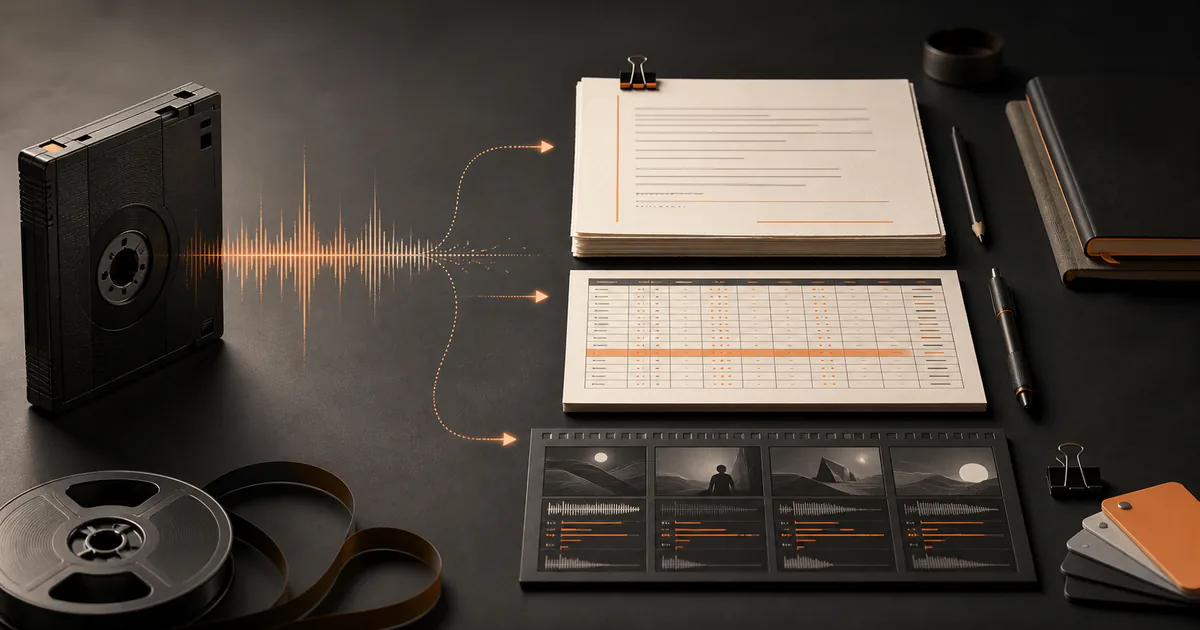
Audio file flowing into editable text and caption export formats
  • Common audio and video inputs
  • Editable, timestamped transcript
  • Five document, data, and caption exports

Workflow

How an audio to text converter free workflow handles your file

Validate the media before processing

Choose a supported local audio or video file and confirm that it contains audible speech. A file extension describes its container, not the clarity of the voices inside it; muted footage, music-only clips, and corrupted files cannot produce a useful spoken transcript.

Convert speech into editable text

The workspace processes the spoken track and returns timed text. If the language is known, select it rather than relying on detection. Enable speaker labels for interviews or meetings, then rename only the speakers you can identify from context.

Match the export to its destination

Choose TXT for portable plain text, DOCX for collaborative editing, JSON for structured workflows, SRT for widely supported subtitles, or VTT for web caption tracks. The best export is the one the next application can use without destructive reformatting.

Decision guide

Choose the right settings and output

TXT versus DOCX

TXT is compact and easy to search, version, or paste into another system. DOCX is better when editors need headings, comments, tracked changes, or a familiar document handoff. Neither format preserves subtitle timing as a dedicated caption file does.

JSON versus caption files

JSON is useful when software needs structured segments and timestamps. SRT is accepted by many video editors and platforms, while VTT fits browser video and supports web-oriented cue syntax. Always preview captions where viewers will read them.

Transcription versus MP3 extraction

A transcript represents spoken language as words; an MP3 converter extracts or re-encodes the audio track. If you need a podcast file from a video, choose MOV-to-MP3 or MP4-to-MP3. If you need searchable quotes or subtitles, stay with transcription.

Format support is only the first gate

A supported container can still contain an unusual codec, damaged data, no audio track, or speech too faint to interpret. Keep the original media and inspect a completed draft before deleting or distributing source material.

Use cases

Practical ways to use this tool

Create an interview document

Upload the recording, separate voices when useful, correct names and terms, and export DOCX for an editor who will shape the final article.

Prepare video captions

Turn the spoken track into timed cues, then export SRT or VTT and adjust reading speed, line length, and cuts in the publishing environment.

Feed a structured content pipeline

Use JSON when downstream code needs text segments and timing rather than a styled document. Validate the schema and escaping before automation consumes it.

Search a long recording

Create text so a lecture, meeting, or research recording can be searched by phrase. Confirm context at the timestamp before relying on a match.

Commercial comparison

Whisper AI vs Notta vs AudioConvert for file-to-text conversion

Comparison checked 2026-08-13. Use the linked sources to verify live terms.

Whisper AI vs Notta vs AudioConvert for file-to-text conversion
Decision factorWhisper AINottaAudioConvert
Primary workflowMedia file to editable, timestamped transcriptBroader recording, transcription, and meeting-note workspaceFocused online file conversion page
Whisper AI output pathTXT, DOCX, JSON, SRT, and VTT after editingCheck Notta's current export matrix for the active planCheck the live converter page for its current download options
Free constraint visible at check time5 transcription minutes after verified signup120 monthly minutes with a three-minute cap per free conversation listed on pricingUsage terms are presented on its active conversion flow
Best fitPeople choosing between editable text, structured data, and caption exportsTeams evaluating a larger notes and meeting ecosystemPeople who prefer a focused single-purpose conversion page

Whisper AI is the practical choice when output format is the main decision and you want one editable transcript to feed documents, software, or captions. Compare live plan limits before processing a large library.

Before you begin

Limits worth knowing

Clear answers

Frequently asked questions

What does an audio to text converter produce?

It produces a written transcript of spoken audio, usually with timed segments. Whisper AI lets you edit that draft and export it as a document, plain text, structured data, or caption file.

Can I upload a video to create text?

Yes. Common audio and video containers can enter the transcription workflow because the spoken track is what becomes text. If you only need the audio itself, use an MP3 converter instead.

Which export should I choose?

Use TXT for portability, DOCX for document collaboration, JSON for software, SRT for common subtitle workflows, and VTT for web captions. Choose based on the next destination rather than file size alone.

Does changing the export improve transcription accuracy?

No. Export format changes how the same transcript is packaged. Source clarity, language selection, speaker overlap, and careful editing have a greater effect on the text you ultimately trust.

Can the converter label different speakers?

Optional diarization can group passages by detected voice. Those labels are not verified identities, so rename them only after checking the recording and conversation context.

Evidence

Sources and methodology

Product and competitor details were checked on 13 August 2026. Commercial pages can change, so follow each source before making a purchase or uploading sensitive media. Comparisons describe the checked pages and do not imply an endorsement.

Continue the job