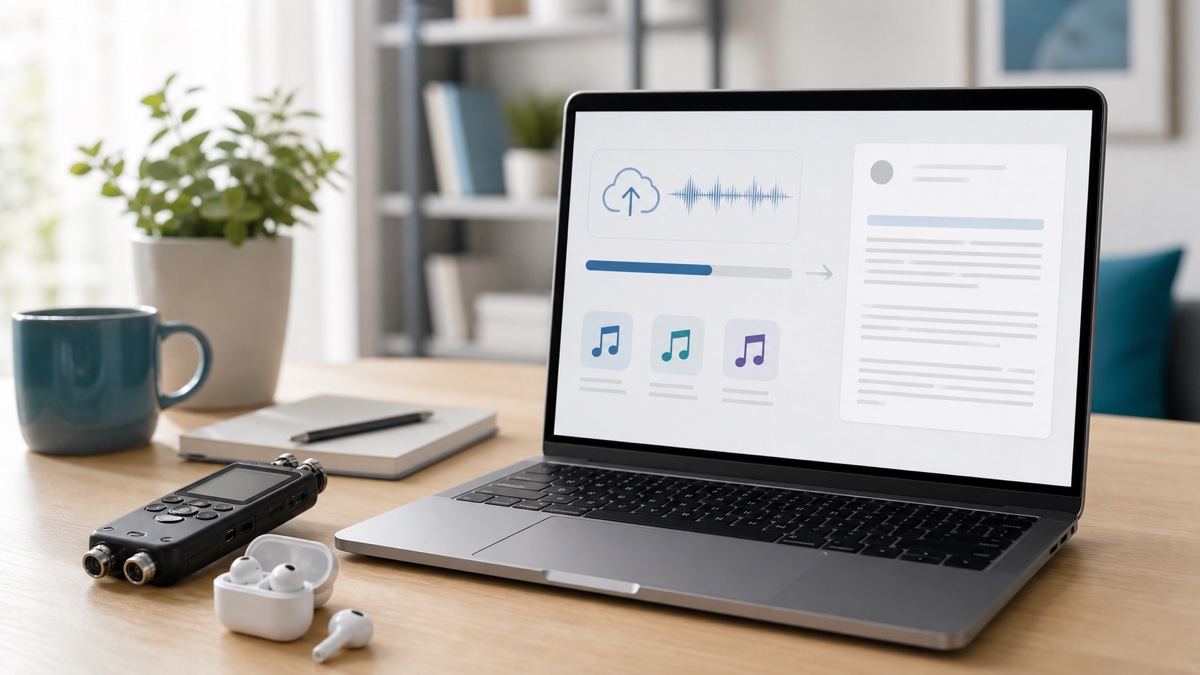
Muse Voice Transcribe is easiest to understand as a stream of decisions, not a block of text that appears after somebody talks. Audio has to enter in the right form. Uncertain words can change while the speaker continues. A pause has to become a finalized turn. Speaker labels need review. Only then is the result ready for correction and export.
That sequence matters to Whisper AI users. A low word error rate is valuable, but a useful speech to text product must also make the transcript understandable, editable, and portable. You can use our speech-to-text workspace for the file-based version of that workflow, or read the independent Muse Voice model guide and browser transcription workspace to compare how another product presents upload, review, and export. Neither should be mistaken for a direct window into Meta's model.
This guide follows the whole path from intake to an editable transcript. It separates Meta's published Muse Voice Transcribe behavior from the workflow available on Whisper AI today, explains what “final” really means in a live session, and shows where human correction still belongs.
Quick answer: what is Muse Voice Transcribe?
Muse Voice Transcribe is Meta's real-time audio perception model for automatic speech recognition. Meta announced it on September 1, 2026 as part of the autoregressive, multimodal Muse family. According to the Meta research announcement, it processes audio in 80-millisecond chunks, can vary its response delay with the difficulty of the speech, and supports streaming transcription, endpointing, speaker diarization, language guidance, keyword guidance, and contextual biasing.
Meta says the model was trained across more than 70 languages, with 25 extensively verified at launch. It also highlights code-switching and diarization for conversations with more than 20 speakers. These are model-level capabilities and launch claims, not a promise that every microphone, accent, noisy room, or overlapping discussion will produce a perfect transcript.
Meta ships the model through its Model API and also lists it in Meta AI for Mac and Muse Code. The public API exposes a WebSocket interface for real-time audio and an HTTP interface for a completed recording. Those two paths share a recognizer, but they create different user experiences and different engineering obligations.
What Whisper AI offers today
Whisper AI does not currently integrate Meta's Muse Voice Transcribe API. Our Muse Voice Transcribe alternative is an independent workflow that currently uses ElevenLabs Scribe v2 as its primary provider, with a Replicate Whisper fallback for eligible temporary failures. The active provider is disclosed before processing.
That distinction is important. The page lets you upload or record, add optional speaker labels and important-word hints, review the result, and export it. It is useful for evaluating the practical journey from audio to a corrected document, but its output must not be presented as a Muse benchmark. Likewise, the musevoice.pro workspace describes itself as independent rather than an official Meta service.
If you are choosing an interface, evaluate the complete job rather than the model name in a headline. Ask how audio gets in, when text becomes stable, whether speaker turns survive editing, how corrections are stored, and which export formats are available.
The practical pipeline: intake to export
A transcript goes through six stages. Each stage has a different definition of “done.”
| Stage | The product must answer | Useful output | | --- | --- | --- | | Intake | Can this recording or live stream be accepted safely? | Validated, normalized audio | | Recognition | What words are likely so far? | Revisable partial text | | Finalization | Has this turn ended? | Stable text tied to a turn | | Review | Are timing, order, and speakers coherent? | Navigable transcript | | Correction | What did the recording actually say? | Human-verified copy | | Export | Where will the transcript be used? | Text, document, data, or captions |
Skipping a stage moves its problems downstream. If intake silently changes channels, diarization may suffer. If an application saves every partial as permanent text, the editor will contain duplicates. If speaker labels are treated as identities, anonymous labels can become false attributions. If export is an afterthought, carefully reviewed timing can disappear from a plain-text file.
Intake: live audio and recordings are different products
Meta's Muse Voice API fundamentals cookbook identifies the model as muse-voice-transcribe-1.0 and documents two interfaces:
- a real-time WebSocket endpoint at
wss://api.meta.ai/v1/asr/realtime; - a completed-recording HTTP endpoint at
https://api.meta.ai/v1/asr/transcribe.
The cookbook examples prepare mono, 16-bit WAV audio at 16 kHz or 24 kHz. A consumer upload product commonly receives MP3, M4A, MP4, WebM, MOV, and other containers, so a production service may need to inspect the media, extract the audio, resample it, and normalize it before calling the documented interface. It also needs to reject files that are corrupt, too large, silent, or outside the service limit.
Live input adds another set of responsibilities. A product has to request microphone permission, select an input device, encode audio at a steady rate, handle network interruption, and make it obvious when recording is active. The provider token should remain on a controlled server or behind an appropriate short-lived authorization design; a long-lived secret does not belong in browser JavaScript.
The distinction also changes user expectations. Upload transcription can show a progress state and return one reviewable result. Live transcription has to display uncertainty without making the interface look broken. It must decide what happens if the user refreshes, changes devices, loses connectivity, or ends a session while words are still provisional.
How Muse listens before it writes
Muse Voice Transcribe does not need to wait for a whole recording. Meta says the model consumes 80-millisecond audio chunks, equivalent to 12.5 updates per second, and represents each chunk with a compact “soft token.” The model can then choose among producing text, consuming more audio, or emitting no text for that step.
That design supports adaptive delay. Clear speech may be emitted quickly, while an ambiguous phrase can receive more context before the model commits. The trade-off is fundamental: waiting can improve recognition because later sounds resolve earlier uncertainty, but waiting also makes captions and voice interfaces feel less immediate.
For a product team, “real time” therefore should not be reduced to a single number. At least three clocks matter:
- Audio-to-partial delay: how soon the user sees a plausible word.
- Revision window: how long that word may continue to change.
- Speech-end-to-final delay: how soon a completed turn becomes stable after the person stops.
A demo can feel impressively fast on the first clock and still frustrate users on the third. Conversely, a system that waits a little longer may provide a cleaner turn that needs less correction. Test all three on the kind of conversations your product will actually receive.
Partial text is not yet a transcript
Meta's real-time recipe describes partial results as cumulative and revisable. A later partial can replace the text shown for the same in-progress utterance; it should not simply be appended to the previous one. The final state indicates that the hypothesis for that result has completed.
Imagine a speaker says, “Send the revised forecast to Maya.” A live interface might briefly display “Send the revised four…” before later context resolves “forecast.” That behavior is normal. A robust client keeps one mutable display area for the active turn, replaces it when a newer partial arrives, and commits the text only when the corresponding result is final.
This leads to a simple but important data model:
- provisional turn: visible for responsiveness, replaceable, not exportable by default;
- finalized turn: stable provider result, assigned an order and durable identifier;
- edited turn: a human revision derived from the finalized turn, while retaining its timing and provenance.
In diarization mode, Meta's cookbook shows a lifecycle that includes speech-start, partial transcript, speaker, speech-end, and speech-complete events. Events can be associated through a turn identifier. A production implementation should use that identifier rather than relying only on arrival order, especially when UI rendering and network messages happen asynchronously.
Endpointing turns a pause into a product action
Endpointing is the decision that an utterance has ended. It affects much more than punctuation. A finalized endpoint may cause a voice assistant to act, a caption line to stop changing, a speaker turn to enter history, or an editor to make a segment available for correction.
The official cookbook describes three fixed session modes:
| Mode | Boundary behavior | Good fit | | --- | --- | --- | | Push to talk | The application controls when the utterance ends | Voice notes, deliberate commands | | Endpointing | The service detects completed speech | Dictation, conversational interfaces | | Diarization | The service also structures speaker turns | Meetings, interviews, panels |
The mode is selected during the handshake rather than changed casually in the middle of a session. That encourages a useful design decision before recording begins: is the user producing one controlled note, having a flowing dialogue, or capturing a group conversation?
No endpoint detector can infer every intention. A thoughtful pause may resemble the end of a turn. A speaker may trail off, restart, or be interrupted. Products that trigger consequential actions from live speech should provide confirmation or an undo path instead of treating every endpoint as flawless intent detection.
Diarization labels are useful, but they are not identities
Speaker diarization answers “which segments sound like they came from the same voice?” It does not automatically answer “what is this person's verified name?” Meta says Muse supports diarization for more than 20 speakers, and its public examples use generic speaker labels that can be mapped to turns.
That is useful structure, but the editor still needs a rename step. “Speaker A” can become “Priya” after a person checks the introduction and the recording. A product should then apply that rename consistently without rewriting the underlying acoustic evidence.
Meta's cookbook also notes that diarization covers non-overlapping speech. Real meetings contain interruptions, laughter, and two people speaking at once. Those moments deserve focused review because a clean sequence of alternating labels can conceal missing or merged speech. The sensible interface pairs every turn with playable audio, keeps timestamps intact, and lets an editor split, merge, or relabel a segment.
Never treat an anonymous diarization label as biometric identity. If identity matters for legal, medical, employment, or financial reasons, confirm it from the recording and the surrounding process rather than trusting an automatically assigned letter.
Languages, code-switching, and vocabulary guidance
Meta's launch post says Muse was trained on more than 70 languages and extensively verified on 25. It also presents code-switching—the movement between languages within one conversation—as a core use case. This can reduce the need to force an entire recording into one language setting.
Language, keyword, and context biasing can supply useful hints. Add people's names, company names, technical terms, product codes, and the languages you realistically expect. But the official cookbook explicitly treats language and keyword bias as guidance, not guarantees. A long dictionary of irrelevant terms can create new ambiguities rather than solve them.
Correction remains essential for proper nouns, numbers, addresses, acronyms, and words that carry high consequences. Read “fifteen” versus “fifty” against the audio. Check whether initials were expanded incorrectly. Confirm which language a shared name belongs to. The point of guidance is to improve the first draft, not to remove accountability from the final one.
Public API limits shape the workflow
Model capability and public service limits are different layers. Meta says the model architecture can handle long audio exceeding one hour. The launch cookbook, however, documents a 60-minute cap for a real-time stream and a 10-minute or 32 MB cap for a single completed-recording request. It also describes connection safeguards: a handshake timeout, closure when audio backlog grows too large, closure when data is supplied below real-time speed for a sustained period, and account rate limits.
Those constraints are not contradictory. One describes what the model can reason over; the other describes the contract of the public API recipe at launch.
| Published boundary | Practical consequence | | --- | --- | | Real-time stream up to 60 minutes | Long meetings need planned session rollover | | Completed recording up to 10 minutes or 32 MB | Long files need safe splitting or another supported workflow | | Audio backlog protection | Clients need backpressure and reconnect handling | | Fixed session mode | Choose endpointing or diarization before streaming | | Rollout-dependent access | Confirm account availability before committing a launch |
Splitting is not just a media operation. Preserve the original timeline, avoid cutting through a word, carry enough boundary context to review the join, and reconcile speaker labels across chunks. “Speaker A” in chunk two is not necessarily the same person as “Speaker A” in chunk one unless your application establishes that mapping.
Meta's separate Voice Chess cookbook also warns that real-time transcription access may be limited during rollout. Availability should therefore be checked in the intended account and region, not inferred from an announcement alone.
What the benchmarks do—and do not—tell you
Meta's launch chart reports a 3.1% word error rate for final streaming transcription, compared with seven named systems in a 3.4% to 4.0% range. Its diarization chart reports a 17.5 average diarization error rate across AMI-IHM, AMI-SDM, and VoxConverse, compared with five systems in a 21.1 to 28.6 range. Those are Meta's reported launch evaluations, with the comparison snapshot dated September 1, 2026.
An independent view comes from Artificial Analysis's streaming speech-to-text leaderboard. As checked on September 3, 2026, it reports Muse Voice Transcribe at 3.0623% word error rate and about 0.163 seconds from the end of speech to a final result. Its word-error score is weighted across the Artificial Analysis AgentTalk set, VoxPopuli, and Earnings22, covering roughly eight hours of audio. Muse leads that particular accuracy table, while several listed systems finalize faster.
Both results are informative; neither predicts every workload. Word error rate treats substitutions, insertions, and deletions mathematically, but it does not directly measure speaker-label quality, punctuation usefulness, code-switch accuracy, partial-text stability, or editing time. Diarization error rate does not tell you whether a particular mislabeled sentence was harmless or consequential. A podcast recorded in a treated studio, a multilingual support call, and a twelve-person meeting across one table are different tests.
Use public benchmarks to form a shortlist. Use consented, representative recordings to make a product decision. Include quiet and noisy samples, your actual languages and accents, domain vocabulary, interruptions, long turns, short acknowledgements, and the devices your users really own.
From finalized turns to an editable transcript
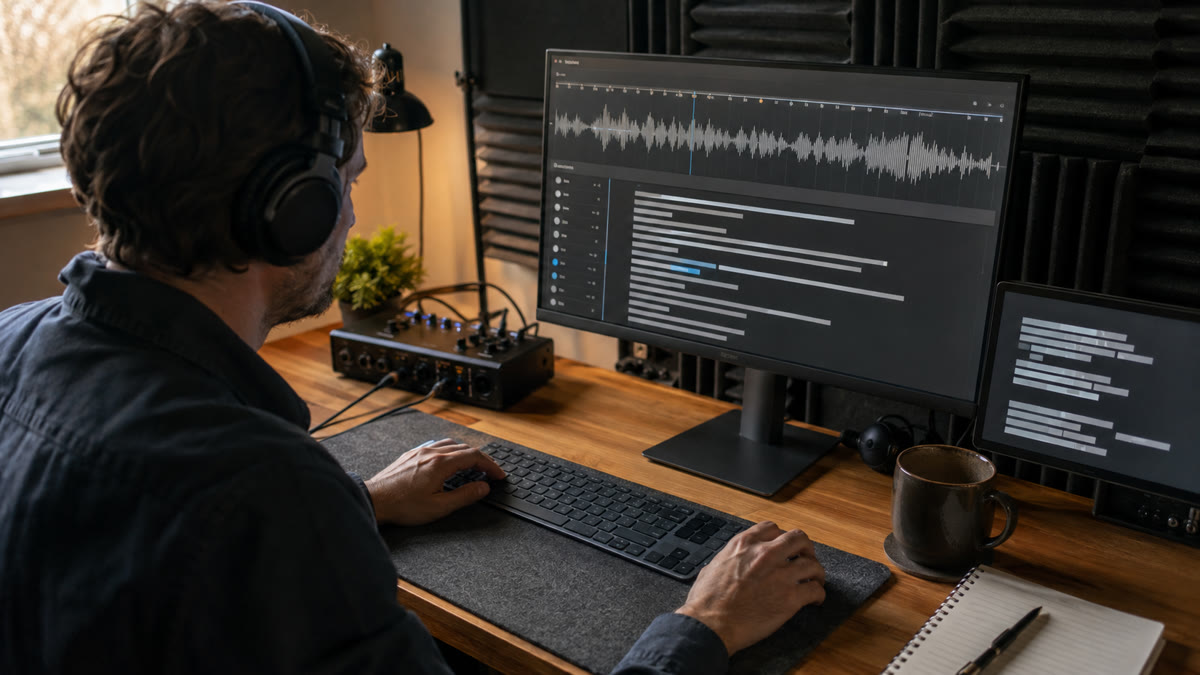
A provider response is a draft, even when every turn is marked final. “Final” means the streaming hypothesis has stopped changing; it does not mean a human has verified the words or approved the document.
A reliable review can be organized into five passes.
1. Check completeness and order
Listen to the opening and closing moments first. Confirm that recording started on time, the last sentence was not clipped, and reconnects did not create gaps or duplicates. Then spot-check the joins between chunks or sessions. A polished middle cannot compensate for a missing decision at the end.
2. Reconcile speakers and turns
Rename generic labels only after checking the audio. Review interruptions, short acknowledgements, and sections where people have similar voices. Split a segment if one label contains two speakers; merge fragments when endpointing broke one thought into distracting pieces.
3. Verify names, numbers, and terms
Search for every important name and keyword. Check prices, dates, percentages, URLs, medication names, ticket numbers, and quoted wording against the recording. These tokens often matter more than overall WER because one wrong character can change the meaning.
4. Edit for readability without inventing speech
Decide whether the output is verbatim or clean-read. A verbatim transcript may keep false starts, fillers, and repetitions. A clean-read version can remove some disfluency and add paragraph breaks, but it should not introduce arguments or certainty absent from the audio. Preserve a way back to the timed source when edits become substantial.
5. Preview the intended export
Read captions at playback speed. Open the document format in its likely editor. Parse the structured data with the downstream tool. Check line breaks, character encoding, timestamps, and speaker formatting. Export validation is part of transcription quality, not a cosmetic last step.
Correction should preserve the evidence trail
The safest editor keeps the original recording, the provider's finalized result, and the human-edited text conceptually separate. That does not require a complicated interface. It does require stable turn identifiers and timing so a reviewer can play the exact audio behind a sentence.
Useful correction behavior includes:
- click-to-play audio from the selected turn;
- speaker renaming that updates all intended occurrences;
- split and merge controls that retain time boundaries;
- search for uncertain names and numbers;
- a clear distinction between automatic text and saved edits;
- recovery from an accidental edit or browser refresh.
For high-stakes transcripts, add an explicit review state such as “machine draft,” “reviewed,” and “approved.” The label is often more honest and operationally useful than an unexplained confidence percentage. Access should also follow the sensitivity of the recording: limit who can open it, define retention, and avoid copying confidential audio into unrelated tools.
Export is a product decision, not a download button
There is no universally best transcript format. The right export preserves the information needed by the next system.
| Format | Best for | Watch for | | --- | --- | --- | | TXT | Search, notes, simple copy and paste | Usually loses rich timing and structure | | DOCX | Human editing, review, handoff | Confirm speaker and paragraph formatting | | JSON | Automation, archives, downstream apps | Define turn, speaker, timing, and edit fields | | SRT | Broad caption compatibility | Keep cue duration and reading speed usable | | VTT | Web captions and richer cue handling | Test the target player and metadata support |
For a meeting, export one readable document and one structured record if the workflow allows it. The document serves people; the structured version preserves timestamps and speaker turns for search, playback, or future processing. For video, create captions from reviewed turn boundaries rather than wrapping a plain transcript into arbitrary line lengths.
Whisper AI's current Muse alternative supports TXT, DOCX, JSON, SRT, and VTT after review. If you want to compare the same upload-correct-export journey elsewhere, try the speech-to-text workflow on a representative recording at musevoice.pro, then judge correction time and export quality rather than assuming a shared name means a shared provider.
Pricing: the model rate is only one line item
Meta's official Muse Voice Transcribe model page lists Model API pricing at $0.18 per audio hour as checked on September 3, 2026. Artificial Analysis expresses the same rate as $3 per 1,000 audio minutes. Pricing and availability can change, so verify the account-facing documentation before budgeting or publishing your own price.
That inference rate is not the total cost of a transcription product. A real workflow may also pay for media upload, audio conversion, streaming relays, storage, retries, monitoring, editor development, export generation, security, and human review. Long files that require chunking create orchestration work. Live sessions require open connections and recovery logic. Regulated or sensitive recordings require additional controls.
Do not apply Meta's API price to Whisper AI's independent alternative. They are different services with different providers and product costs.
A fair evaluation checklist
Run the same small test set through every candidate and record more than accuracy.
- Use several consented files that represent real users, not one ideal demo.
- Include a clean monologue, a noisy conversation, code-switching, domain terms, and overlapping speech.
- Record time to the first partial, stability of revisions, and time from speech end to finalization for live systems.
- Count missing audio, duplicated phrases, incorrect speaker turns, and critical name or number errors.
- Measure hands-on correction time per audio hour.
- Rename speakers, split a turn, and fix a term to see whether the editor preserves timing.
- Export TXT or DOCX for reading, JSON for structure, and SRT or VTT for playback.
- Reopen every file in its intended destination.
- Document which provider actually produced each result.
- Recheck access, limits, and price before moving from evaluation to production.
The strongest system is usually the one that minimizes verified time to a usable outcome. That may correlate with the lowest WER, but the two are not identical. Clear turn handling and a good correction surface can save more time than a small benchmark difference.
Privacy and production cautions
Voice recordings can contain personal data, confidential plans, customer information, or the voices of people who never expected an upload. Obtain appropriate consent, explain whether processing is live or post-recording, and disclose the active service provider. Define who can access the audio, how long it is retained, and how deletion works.
Keep API credentials server-side. Validate type and size before processing. Treat filenames and metadata as untrusted. Set quotas, timeouts, and retry limits so a broken client cannot create uncontrolled work. Log enough to diagnose a failed turn without copying the entire confidential transcript into every monitoring system.
Finally, do not use unreviewed automatic text as the sole authority for medical instructions, legal statements, financial decisions, disciplinary action, or identity. Play the source audio and involve a qualified reviewer where the consequence of a wrong word is high.
FAQ
Is Whisper AI currently running Meta's Muse Voice Transcribe model?
No. Whisper AI's current Muse Voice Transcribe alternative uses ElevenLabs Scribe v2 as its primary provider and can use Replicate Whisper for eligible temporary failures. The interface discloses the provider. It should be evaluated as an independent transcription workflow, not as Meta Muse output.
Is Muse Voice Transcribe actually real time?
Meta publishes a real-time WebSocket interface that returns revisable partials and finalized results. Its completed-recording HTTP endpoint is a separate path. Whisper AI's current alternative records a browser clip and submits it after recording stops, so it does not show words live while a person is speaking.
Can diarization identify people by name?
Not by itself. Diarization groups turns by likely speaker and can provide generic labels. A reviewer should map those labels to verified names and check interruptions or overlapping speech against the recording.
Why can the model handle more than an hour if the API has shorter limits?
The model's context capability and the public API's service contract are different. Meta describes model support for audio longer than an hour, while the launch cookbook documents up to 60 minutes for a real-time stream and 10 minutes or 32 MB for one completed-recording request.
Which export should I create first?
Start with the next use case. Choose DOCX or TXT for human reading, JSON when another application needs turns and timestamps, and SRT or VTT for captions. When possible, retain both a readable copy and a timed, structured record.
Do keywords guarantee correct spelling?
No. Meta's cookbook describes keyword and language bias as hints. They can improve the likelihood of a domain term, but a reviewer should still verify names, numbers, acronyms, and other important wording against the audio.
Conclusion
Muse Voice Transcribe is compelling because it treats streaming recognition, adaptive delay, endpointing, multilingual speech, and diarization as parts of one audio-perception system. The practical value, however, appears only when a product handles the entire chain: valid intake, replaceable partials, stable finalized turns, careful speaker review, evidence-based correction, and an export built for its destination.
For Whisper AI, the honest path is to keep the provider boundary visible. Our current Muse Voice Transcribe alternative lets you practice the post-recording workflow with the providers it names; it does not claim to call Meta's API. Whatever service you test, score the final editable transcript—not just the first text on the screen.